
Halal, Dairy-Free, Nut Warnings: Labeling Your Menu Correctly
By menu-MENA Team
Published on August 31, 2026
Why "halal" isn't one of the labels
Open the labels field on any item in the Menu Editor and eight presets show up: Vegan, Vegetarian, Spicy, Gluten-free, Dairy-free, Contains nuts, New, Popular. Halal isn't on that list, and that's deliberate. Egypt is a halal-by-default market, so menu-MENA treats it as the assumption rather than a badge you tick per dish. The platform's own display code filters the exact word "halal" out of the label chips wherever they render, in the item editor's table view and on the live public menu, so tagging an item "halal" produces no visible chip anywhere.
If you actually want a certification mark to show (say your supplier holds an official halal certificate and you want it visible), the labels field still takes it. It's a free-text box under the hood, not a locked dropdown. Type something like "Halal Certified" and it becomes its own chip, since only the literal lowercase word "halal" gets swallowed. That works on the classic layout and the Template Builder. On the newer preset-theme redesign, only the eight built-in labels render as chips, so a custom tag typed there won't show up on that particular layout.
Dairy-free isn't a stand-in for vegetarian
A dish being vegetarian tells a customer nothing about dairy. Feta, labneh, halloumi, a cream-based sauce: all vegetarian, none of them dairy-free. Vegetarian and Dairy-free stay as two separate chips for exactly that reason. A hummus plate might carry both. A labneh appetizer carries only one. Tag by habit ("it's vegetarian, so I'm done") and a customer with a dairy allergy gets bad information from a menu that looked careful.
Nuts get the same seriousness in the wording. The chip doesn't say "Nuts," it says "Contains nuts" (يحتوي على مكسرات in Arabic), phrased as a warning rather than a neutral description. If a dish shares a fryer or a prep surface with a nut-based item, that's the label to reach for, and it's worth reaching for even when the nuts aren't in the recipe itself.
Where you actually add labels
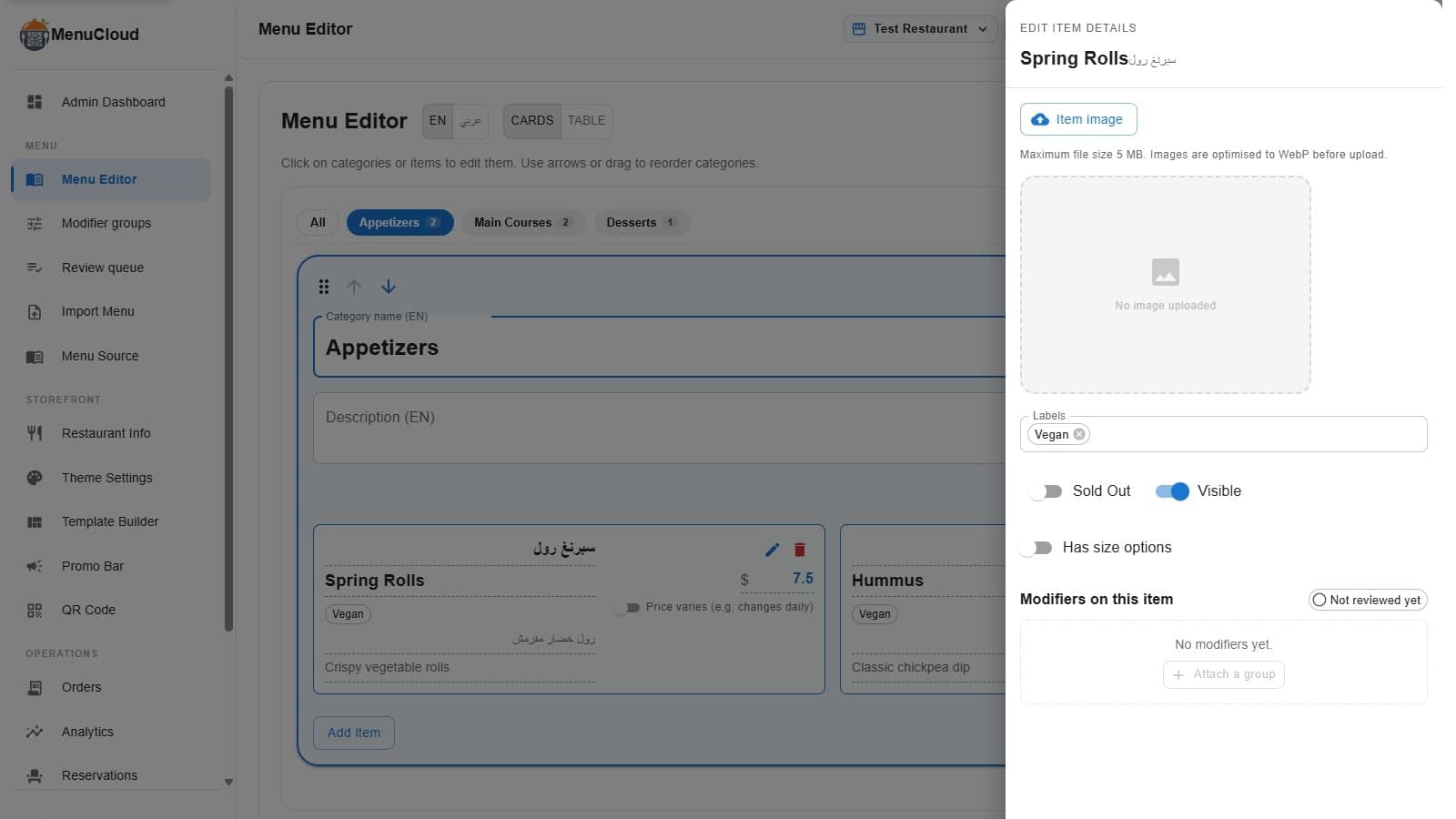
Labels live in the item edit drawer, the same panel where you upload a photo, flip Sold Out and Visible, and attach modifier groups for sizes or add-ons. Tap an item in Cards or Table view, and the labels field sits right under the image uploader as a multi-select box. Pick from the eight presets, type your own, or mix both. Each selected label shows as a small chip you remove with one click.
Save the item and the same tags show up in two places at once: a "Badges" column in your own Table view, useful for scanning every item's labels at a glance without opening each drawer, and on the public menu your customers actually see, color-coded so dairy-free reads as one color and spicy reads as another, consistently, item after item.
Tags follow the menu's language, not your dashboard's
Here's a detail worth knowing if you run a bilingual menu, and most menu-MENA restaurants do, given how central Arabic is to the bilingual menu design itself. Label text is pulled from whichever language the public menu is currently displaying, not from whichever language your admin dashboard happened to be set to when you tagged the item. Tag a dish "Dairy-free" while working in the English dashboard, and an Arabic-reading customer on the public menu still sees "خالي من الألبان." The storefront looks up the translation from the menu's own content language, so this happens without any extra step on your part. Free-text labels don't get this treatment: whatever you typed is what shows, in whichever language you typed it.
The catalog doesn't tag allergens for you
If you're building a menu from the pre-built catalog of 1,100-plus items, know going in that the labels field comes back empty on every item you pull in. The catalog ships names, categories, prices, and photos in Arabic and English, but not dietary tags, because how a dish is actually made is a restaurant-specific fact. Two kitchens can both serve koshari, and only one of them cooks the rice in ghee. Whatever carries a real allergen risk, nuts especially, or a real dietary claim, vegan, gluten-free, plan on a pass through your item list once the catalog is in, adding the label yourself. It's a few taps per item, not a redesign.
That's the whole system: eight chips, one free-text field, and one label that's deliberately absent because it's already true by default. Getting it right has less to do with the tool and more to do with actually knowing what's in the dish before you tick the box.