
Already Have Your Menu in a Spreadsheet? Import It Directly
By menu-MENA Team
Published on September 4, 2026
Not every restaurant starts a digital menu from a blank page, or a stack of printed pages, or a folder of photos. A lot of them start from a spreadsheet that already exists, because that's how the menu got typed up for a POS system, a supplier, or just an internal price list years ago. Retyping all of that into a menu builder by hand is exactly the kind of busywork a real import path should remove, and Excel import is built for precisely that case.
Start from the template, not a blank sheet
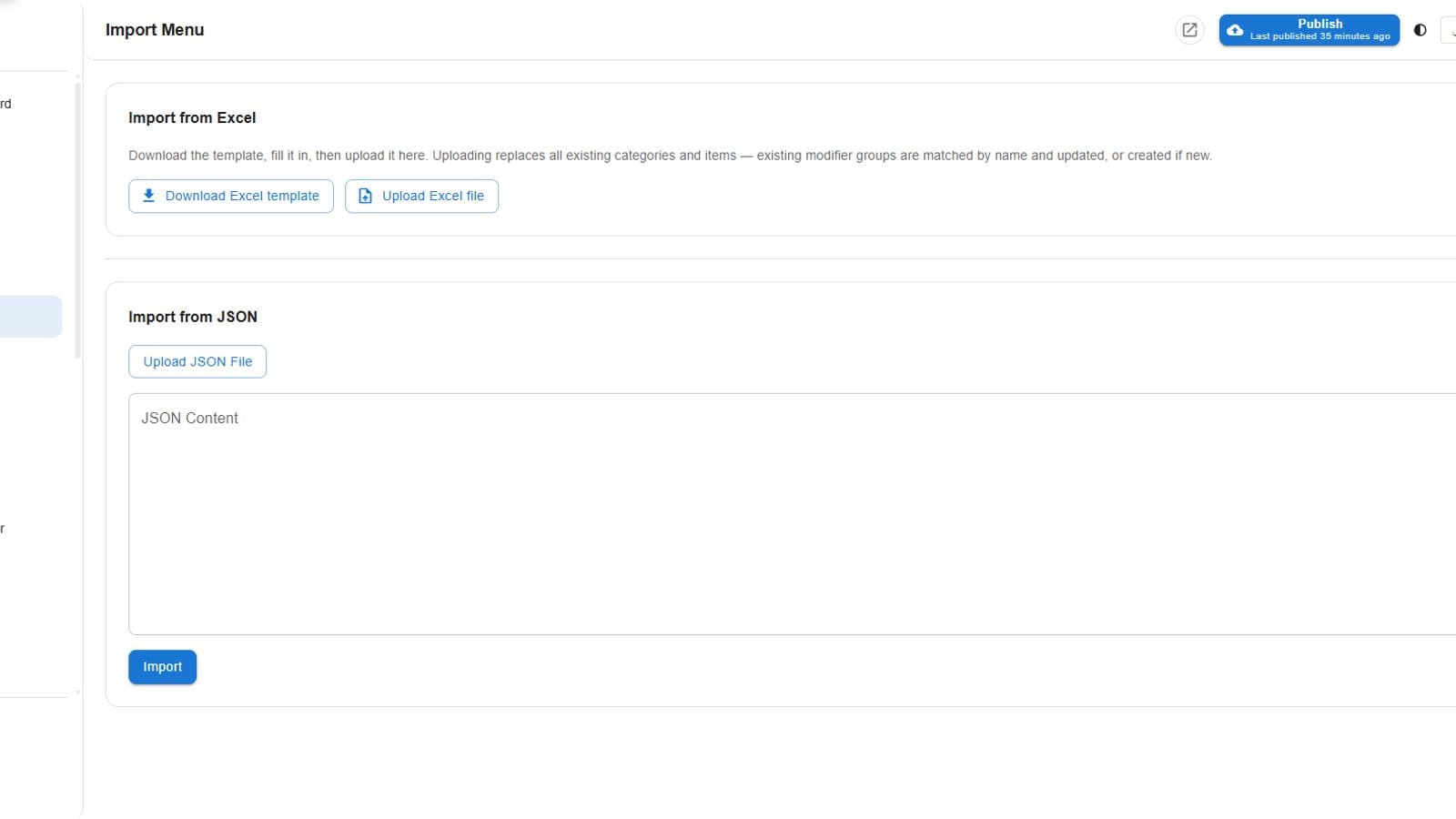
The import screen gives you a downloadable template built to match what the parser actually reads, categories, items, prices, and modifier groups each in their expected place. You're not reverse-engineering a column layout from trial and error, you're filling in a shape that's already correct.
Worth knowing before you upload: categories and items in the workbook replace what's already in your catalog, this is meant as a full load, not an incremental add. Modifier groups are the exception, they're matched by name and updated in place rather than duplicated, so re-running an import to fix a typo doesn't leave you with two copies of every group.
Modifier groups come along, not just flat items
A menu is rarely just a list of items and prices. Sizes, spice levels, add-ons, sides, most menus sell some of what they offer as a choice attached to an item rather than a separate line. The template carries modifier groups and their options the same way, so a size selector or an add-on list you already track in your spreadsheet becomes a real modifier group in your catalog, not something you rebuild by hand afterward.
No OCR guesswork to review
Photo import and PDF import both start from an image, which means the system is reading text off a picture and there's real room for it to misread a price or split a name wrong. A spreadsheet skips that entirely. The data is already structured text, a cell is a cell, so there's no recognition step in between your menu and your catalog, just parsing rows into the shape your menu already has.
Which import path fits which starting point
If your menu only exists as a printed page or a photo of one, photo or PDF import is still the right tool, that's exactly the gap they close. If it already lives in a spreadsheet, whether that's a proper POS export or just a price list someone's kept updated in Excel for years, this is the more direct route: no re-typing, no re-photographing, just filling in a template you already understand and uploading it.