
Why We Verify the WhatsApp Number Before an Order Sends
By menu-MENA Team
Published on September 22, 2026
A typo in step one breaks every order forever
Somewhere in the first five minutes of setting up a menu-MENA account, an owner types a phone number into a field, moves on, and doesn't think about it again. That number becomes the one every future WhatsApp order gets sent to. Get one digit wrong there and nothing dramatic happens: no error, no bounced message, no red banner anywhere. The QR code still works, the menu still loads, and a guest can still tap Send via WhatsApp. Their own WhatsApp app opens, addressed to a number that either doesn't exist or belongs to someone who has no idea they're now getting koshari orders. The owner finds out days later, if they find out at all.
That's the actual failure this check guards against, not a stranger spamming an inbox with fake orders. A wrong number typed once during setup is a quiet, permanent leak nobody notices until a guest says "I ordered and nothing happened."
What the check actually does
During onboarding, right after you fill in your restaurant's name, URL, and phone number, and before you pick a menu mode, menu-MENA runs one background check on the WhatsApp number you just entered. It calls /api/whatsapp/check, a small endpoint that strips your number down to digits and fetches https://wa.me/<country code><number> from the server, the same public link WhatsApp itself generates for a "chat with this number" button.
wa.me answers with a 200 status whether the number is real or not, so a plain status check tells you nothing. What differs is the page content: an invalid number renders WhatsApp's own "Phone number shared via url is invalid" placeholder. The endpoint fetches that page and looks for that phrase in the HTML. Find it, and the number comes back invalid. Don't find it, and it comes back valid. If the fetch fails, times out, or gets blocked, it comes back as unknown rather than either, meaning we genuinely couldn't tell.
If your WhatsApp number matches your main phone, which most owners leave on by default, that's the number that gets checked. Turn off the "Same as phone number" toggle on that step and enter a separate WhatsApp number, and it's that second number that gets checked instead. The country picker covers Egypt first, then Saudi Arabia, the UAE, Kuwait, Qatar, Bahrain, Oman, Jordan, Lebanon, Iraq, Morocco, Tunisia, and Algeria, plus the US and UK for restaurants running an outlier number.
Advisory, not a gate
Here's the part that matters most: a failed check never stops you from creating your account. If the number comes back invalid, one line appears under the form: "We couldn't verify this number on WhatsApp. You can continue, but customers may not be able to reach you via WhatsApp." Then you click through to the next step exactly as before.
That's deliberate, not an oversight. Scraping a page we don't control for a marker string is a heuristic, and heuristics misfire: a slow response, a rate limit on our own end, WhatsApp changing that placeholder copy tomorrow. None of that is a good reason to stop someone from launching their menu. The code treats "confirmed invalid" and "couldn't confirm either way" as two different outcomes, and only the first one shows a warning at all. A timeout, a blocked fetch, a non-200 response, none of those show anything. You're never punished for a check that failed on our end instead of yours.
Why the check itself is rate-limited
The endpoint doing this work is public and unauthenticated, since it runs before your account or tenant exist yet. It also fires an outbound fetch to another site on every call, which makes it a target on its own: someone could hammer it to probe whether arbitrary numbers are on WhatsApp, turning a small onboarding helper into a free number-lookup tool. To close that off, the route caps requests at 20 per minute per IP address, tracked with a small in-memory limiter that gets swept clean after each call. Twenty is nowhere near what a real owner needs typing in a number once and maybe retrying after a typo, but it's low enough to make scripted enumeration pointless.
Not the same field as the one in your order review
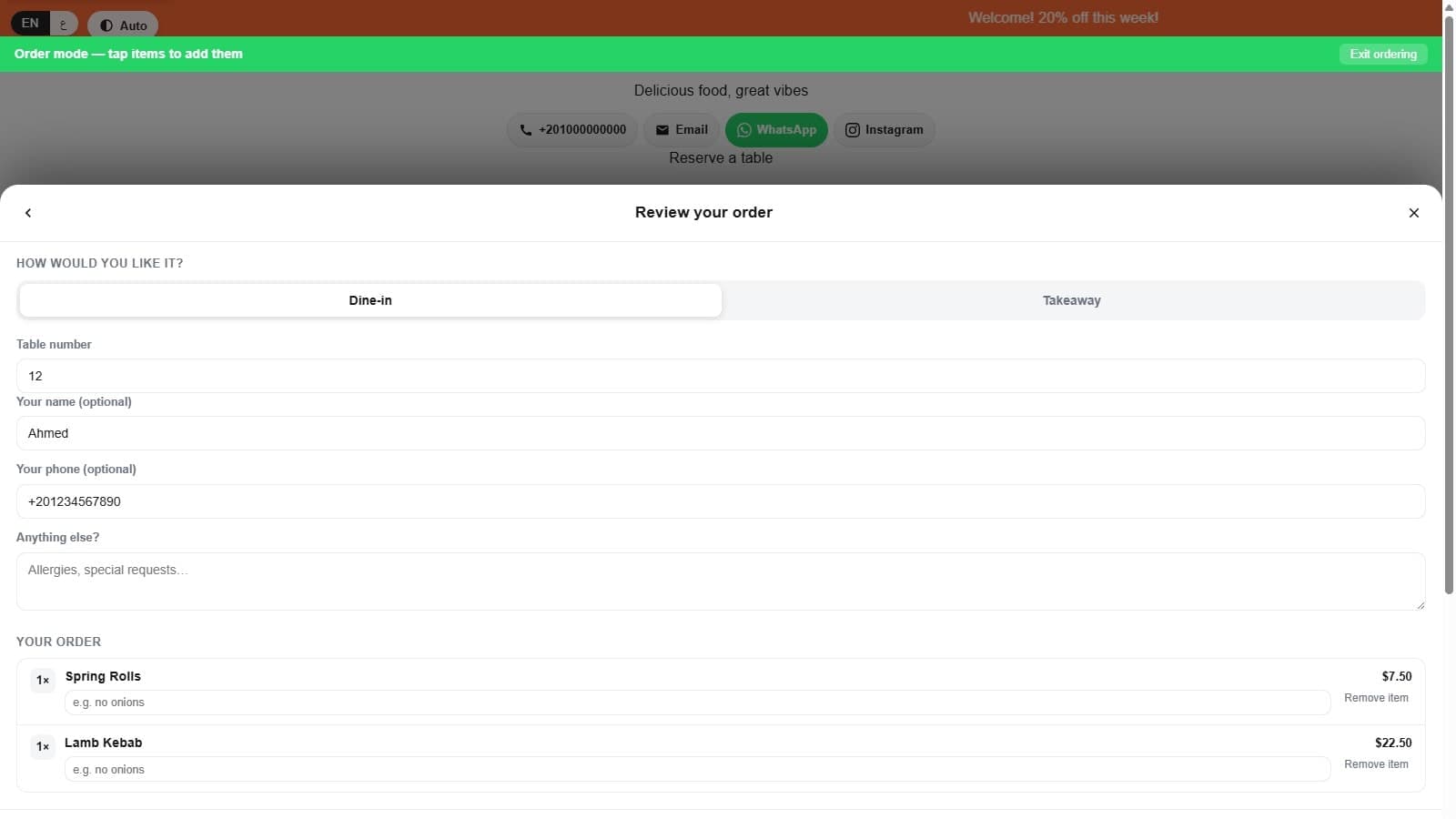
Worth separating this from a different phone field that shows up much later, in the customer-facing order sheet. When a guest reviews their cart before sending an order, there's an optional "Your phone (optional)" field with the placeholder "For the restaurant's records." That field has nothing to do with the check described here. It isn't checked against wa.me, it isn't the destination the order gets sent to, and leaving it blank changes nothing about how the order sends. It exists so a guest can be recognized as a repeat customer later, which turns WhatsApp orders into an actual customer list instead of leaving them buried in chat threads. The number this post is about is yours, checked once, and it's the destination. That field is theirs, optional, and it's a record.
One check, before the first order can exist
The timing is really the point. This check runs before your menu has a single item on it, before a QR code exists to print, before the QR-to-WhatsApp ordering flow has anywhere to send its first message. By the time a guest is standing at a table scanning a code, the number behind that code was already looked at once. It won't catch a number typo'd later in settings, and it won't catch WhatsApp changing its mind about a number after the fact. What it catches is the one mistake most owners never think to double-check: the very first number they type in, on a screen they'll never open again.