
Connect an AI Agent to Your Menu: The MCP Server
By menu-MENA Team
Published on September 7, 2026
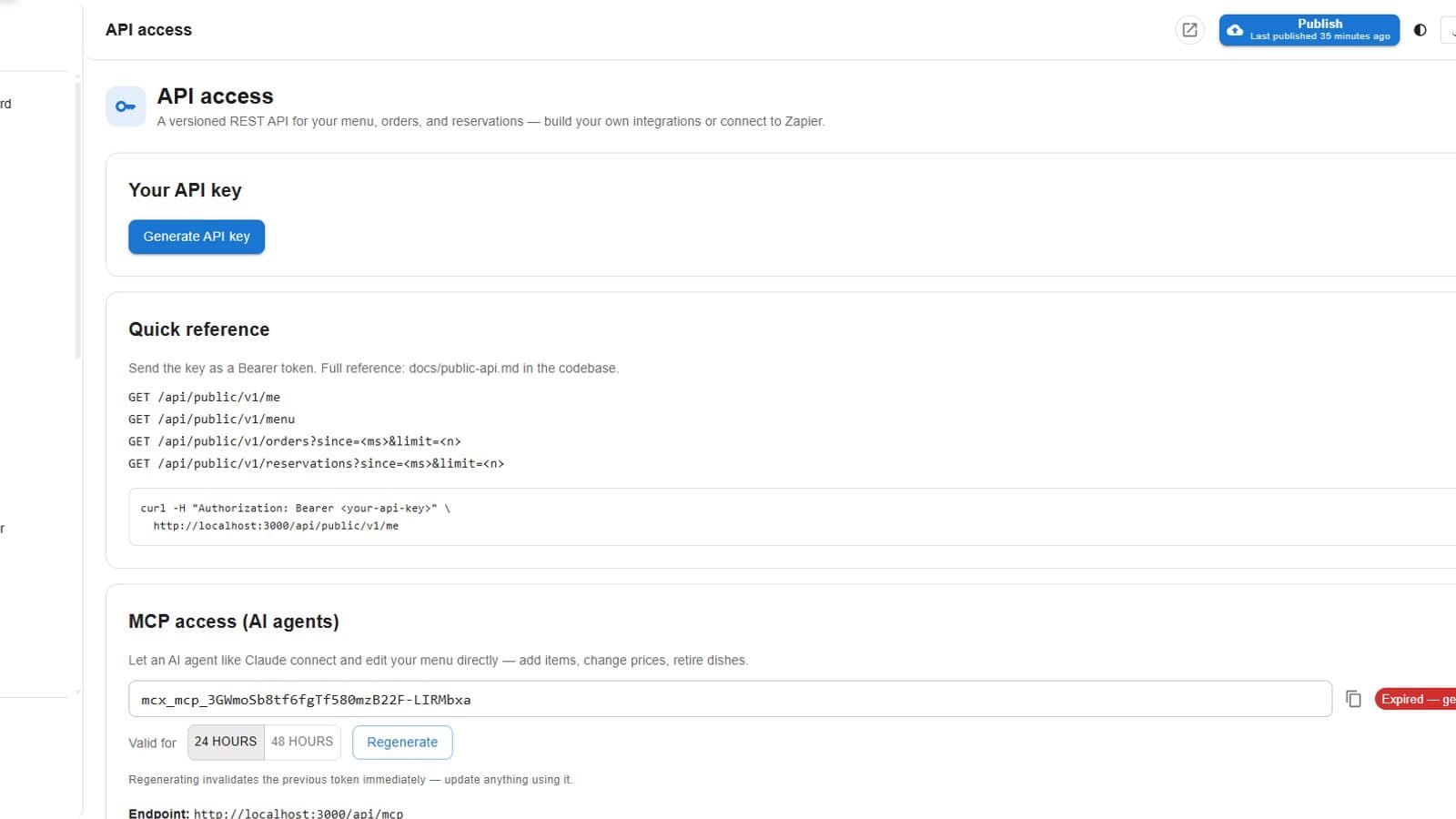
Most people who connect something external to their menu use the public API: four read-only endpoints for pulling data into a POS integration or a reporting tool. That covers reading. It doesn't cover doing. The MCP server is the other half, it lets an AI agent, Claude, ChatGPT, or anything else that speaks the Model Context Protocol, actually take actions against your account, the same actions you'd take yourself in the admin panel.
A token, scoped to your account and built to expire
Connecting is a token, not a login flow, generated from API access in the admin panel, next to your regular API key. You pick how long it lasts, 24 or 48 hours, rather than getting a permanent credential to keep track of. The server resolves that token to a specific tenant on every request, and every tool call it handles after that is scoped to that tenant and branch. Regenerating kills the old token immediately, so cutting off access an agent shouldn't have anymore is one click, not a support ticket.
What's actually on offer
The tools registered on the server aren't a demo set, they mirror real sections of the admin panel: branches, coupons, customers, domains, menu items and categories, modifier groups, orders, PDF menu handling, reservations, account settings, and templates. Ask an agent to draft a weekend coupon, pull up a customer's order history, or update your restaurant's phone number, and it's calling the same underlying actions a staff member would trigger by clicking through the panel.
A diagnostics tool built for one specific problem
One tool exists purely to catch mistakes: a diagnostics pass over your catalog that flags issues by name, and the one worth calling out is the bilingual gap check. An item with a name typed in English but never given an Arabic one, or the reverse, is exactly the kind of thing that survives unnoticed in a catalog with a few hundred items. An agent can run that check on request instead of someone scrolling the whole list by eye.
Every action is still logged
Actions taken through the server don't bypass your audit log. Tool calls route through the same audit system the rest of the admin panel uses, so a change an agent makes shows up in your history attributed to that action, not as an edit with no explanation behind it. If something changes, you can tell whether a person clicked it or an agent called it.
Built for agents, not for browsers
The server handles its own CORS and authentication before a tool call ever runs, including rate limiting on the authentication step itself, so it's built to sit behind an AI client making programmatic calls rather than a browser tab someone's poking at directly. If you're building your own integration by hand, the public API is still the simpler starting point. If you want an AI agent to actually run parts of your menu management for you, this is what it talks to.