
How to Read Your QR Menu's Scan Analytics
By menu-MENA Team
Published on August 3, 2026
What's new in your dashboard
Your account has been counting menu views quietly for a while now, split by the language the guest was viewing at the time. What's new is a page that actually shows you that number: Analytics, sitting in your admin dashboard at /admin/analytics. No setup, nothing to turn on. If your menu has been live, the history is already there.
Where to find it, and what's on the page
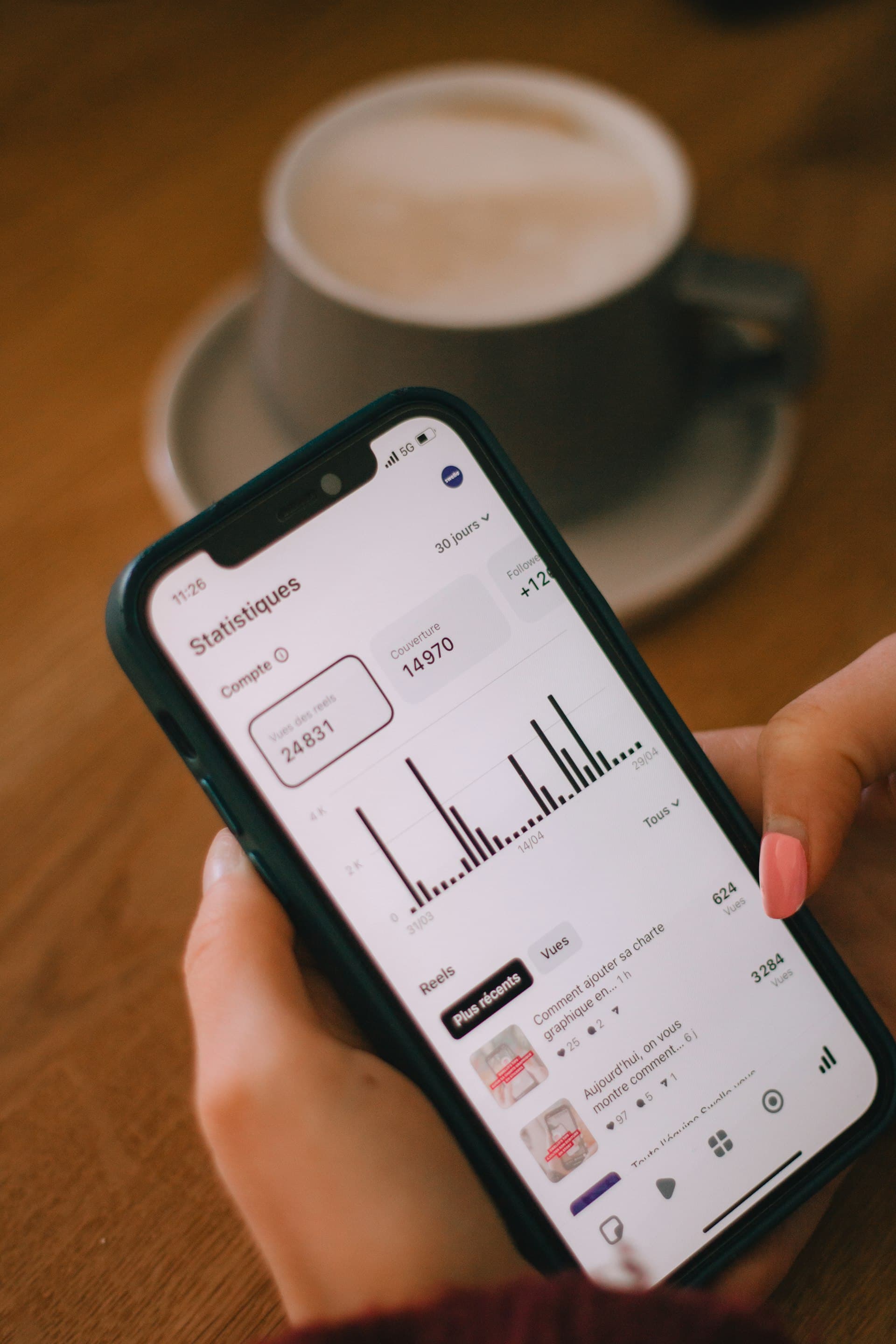
Open /admin/analytics and you'll see two headline totals for the last 30 days: Arabic views and English views. Under them sits a daily trend line, one line per language, so you can see the shape of the last month rather than just the sum.
If your account has more than one branch, the account owner sees one more thing: a table breaking the same two numbers down per branch, so you can put branches side by side instead of checking each one separately.

What counts as a "view"
A view is counted every time a guest's browser loads your public menu page, tagged to whichever language they were looking at. A guest scans the table QR, the menu opens in Arabic, that's an Arabic view for the day. If they tap the language switcher and flip to English partway through, that adds an English view too. Nothing here tracks who the guest is or follows them across visits. It's a count of page loads by language and by day, nothing more.
That last part matters for how you read the numbers, so keep it in mind through the rest of this: a view is a page load, not a person and not an order.
What AR vs EN actually tells you
The split is a plain read of which language people are actually looking at your menu in, not a guess and not a survey. A shawerma place near a compound with a lot of foreign residents might run 40/60 or even lean English. A koshary counter on a mostly residential, mostly Egyptian street should run almost entirely Arabic. Neither is right or wrong. It's just what's showing up.
If your gut and the numbers disagree
The useful moment is when the split doesn't match what you'd expect from who actually walks in. If you know your guests are mostly Egyptian families and the page says English is winning by a wide margin, something between the guest and the menu is nudging them toward English before they ever get to choose. The most common cause is the default language the menu opens in when the QR is scanned. Worth checking before you draw any conclusions about your guests.
Reading the trend line: spikes and drops
The daily line is where the page earns its keep. A single number for 30 days tells you the total; the line tells you when things happened.
A spike right after you put up new QR stickers or a new stand at the entrance means the placement is working, plain and simple. A spike that lines up with a social media post or a delivery-app mention tells you which channel is actually driving people to scan. A drop that lines up with a day you remember the WiFi acting up at the venue is worth ruling out before you worry about anything else. A slow decline over two or three weeks with nothing you can point to is worth a walk-through of the dining room: is the QR sticker still where a guest would notice it, or did a new table layout, a new coaster, a new promo card end up covering it?
If one language is dominating unexpectedly
Say English views are running well ahead of Arabic and that doesn't match what you see on the floor. Check what language the menu defaults to when a guest scans your QR. If most of your walk-ins speak Arabic but the default view opens in English, some of them will tap the switcher and some won't bother, and what you're measuring is partly your default setting, not just guest preference. Setting that default to match your actual majority, and keeping the switcher visible for everyone else, is the direct fix.
For multi-branch accounts: comparing branches
The by-branch table is built for exactly this: sitting two branches with similar surroundings next to each other and expecting a similar split. If one branch shows noticeably different numbers from a sibling branch that should look similar, that's worth a look at QR placement, at whether that branch has its own social presence, or at whether its default language got set differently for no real reason.
It's also a fast way to spot a branch that just isn't getting scanned. A new branch a few weeks past opening with view counts far below the others usually points at a QR-placement problem, not a menu problem. Check the sticker or stand is actually where a seated guest would notice it before touching anything else.
Owner-only, by design
The by-branch breakdown shows only for the account owner login. A branch manager logged into their own branch sees their own branch's numbers on the main dashboard, not the comparison table across every location.
What this page doesn't tell you
This is view-count analytics: it counts menu page loads, split by language and by day. It doesn't track orders, doesn't track WhatsApp clicks, and doesn't measure revenue. A branch with high views and a quiet WhatsApp inbox isn't a bug in the numbers. Viewing a menu and sending an order are two separate actions, and this page only measures the first one. If you want to know what's converting into actual orders, that conversation is happening in your WhatsApp inbox, not on this page.
Key takeaways
- Find it at
/admin/analytics: 30 days of Arabic vs English views, as daily totals and a trend line - A "view" is a page load in a given language, not a unique guest and not an order
- Match the split against who actually walks in; a mismatch usually points at your menu's default language, not your guests
- Read the trend line against real events: new stickers, a social post, a bad WiFi day, a hidden QR
- Multi-branch accounts get a by-branch table, visible to the account owner only
- This measures menu views only, not orders, clicks, or revenue
Check the page every week or two, not every day. One day's number moves for all kinds of reasons; a shift that holds for a week is the one worth acting on.