
Opening Branch Two: Clone Your Menu in One Click
By menu-MENA Team
Published on August 29, 2026
The blank menu is the annoying part
Opening a second location is supposed to feel like momentum. Then you log into the dashboard, open the new branch, and the menu tab is empty. Every category, every item, every price you spent weeks getting right on branch one: gone. You're looking at a blank canvas and a decision about whether to spend the afternoon retyping fifty items or letting the new branch launch with half a menu.
That's the moment "Copy menu from" is for.
Where it lives
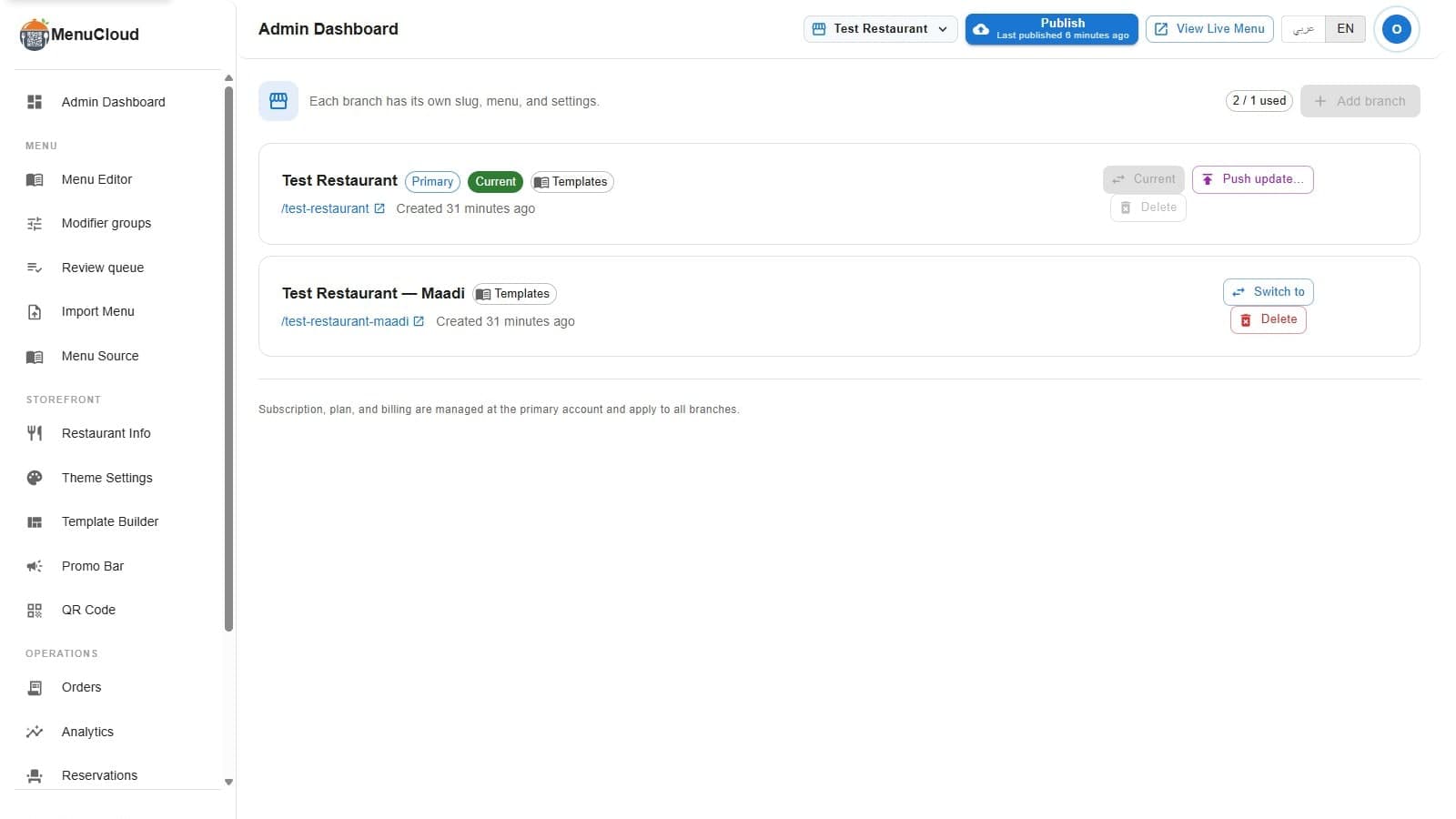
On the Branches page in the admin dashboard, "Add branch" opens a short dialog: Branch name, a Slug field that auto-generates from the name but stays editable, and a third field labeled "Copy menu from." The dropdown defaults to "Don't copy (start blank)." Switch it to an existing branch and the helper text underneath spells out exactly what happens: "Optional. Duplicate an existing menu to start with."
Fill in the name, pick a source branch, hit "Create branch," and the dashboard switches you straight into the new location with the source menu already sitting there.
What actually gets copied
Every custom category and every custom menu item from the source branch gets duplicated into the new one, with new database IDs assigned and categories re-linked to their items so nothing points at the wrong parent. Whatever lives on those items travels with them: price, description, photo, dietary and allergen labels, sold-out state, modifier groups, sizes, add-ons, whatever you've built.
Items pulled from menu-MENA's pre-built catalog of 1,100+ dishes don't need copying at all. They don't get duplicated, because both branches already have access to the same shared catalog. Branch two sees the same koshary, the same molokhia, the same Arabic and English names, without a single row written twice.
What doesn't come along
If you tweaked a price or toggled sold-out on a catalog item at branch one, that change is an override that lives on branch one specifically. Branch two starts from the catalog's default price for that dish. This is the same overlay model behind per-branch catalog pricing: it's what lets ten branches sell the same dish at ten different prices, and it means a fresh branch always starts from the catalog baseline, not from wherever branch one has drifted to since.
Theme, restaurant info, and the promo bar don't move with the menu copy either. Those are branch settings, not menu content, and the copy step only touches categories and items.
If you already created the branch
The copy step is a one-time choice made at creation. If you clicked "Don't copy" and want to change your mind, or opened the branch weeks ago and want it caught up with branch one now, "Push update…" on the current branch's row does that job instead: pick which sections to send, categories, menu items, theme, restaurant info, promo bar, and which branches receive them. It overwrites the matching sections on the target, so it's built for keeping branches in sync, not a casual undo.
Who gets to press the button
Only the account owner. Managers can switch between branches they already have access to, but "Add branch," "Push update…," and delete are all hidden from manager accounts. It runs on the same owner and manager permission model as everything else in the multi-branch setup, so the person copying a menu into a new location is the person who's supposed to be making that call.
What branch two actually costs
Branch one runs 90 EGP a month or 1,000 EGP a year, and the 14-day trial covers it with no card required. Every branch after that is half price: 45 EGP a month or 500 EGP a year, billed at the primary account alongside branch one. New accounts start with room for exactly one branch, though, so before any of this the Branches page shows a chip reading "1 / 1 used" and "Add branch" stays greyed out until support raises your limit. That's a quick message, not a new signup or a second trial.
Print the new QR and go
Once the branch exists with a copied menu, it has its own slug and its own live public page immediately, same as branch one did on day one. The only thing left is a QR code pointed at the new address, because the old one still points at branch one. Generate it from the branch's own QR page, drop in your logo and colors if you use those, and put it on the tables. The menu underneath it was never actually blank.